


What do you do when you first meet someone in real life? You ask questions, right?
Chances are, the first conversation reveals their name, interests, occupation, and, potentially, even what they aim to do for the world. The first-ever conversation will also give you an idea of whether or not you need this person in your life.
What if the conversation didn’t reveal those things to you, and instead had you jump through hoops and loops to figure them out? Would you want to stick around for a long time?
Visiting an Instagram profile is like having a “conversationless” first conversation. People should be able to understand whether or not you’re for them in a matter of 3-5 seconds. It should easily reveal the answers to preliminary questions like who you are, what you do, and any other information you deem important.
Your Instagram profile has the power to make or break your follow rate. An optimized profile is just as important as producing great content. If an ad or a piece of your content inspired someone to visit your profile, the profile itself might help convince them to stay.
Why Is Optimizing Your Instagram Profile Critical?
Here’s a breakdown of why optimizing your profile is important:
- Converts Visitors Into Followers: While getting people’s attention through content is important, your ultimate goal should be to convert them into loyal and engaged followers.
An optimized profile answers your audience’s silent questions, like who you are, what you do, whether you are relevant to them, and what they should do next.
Answering these questions concisely nudges the visitors to hit the Follow button. - Improves Your Instagram Discoverability: Instagram is no longer just a social network; it is now a search engine. People often search for services, products, and other keywords directly on the platform.
An optimized profile helps people find you and makes the algorithm recommend you. Strategically placing keywords in your profile significantly increases your chances of showing up in the search results. - Funnels Traffic to Your Landing Page, Website, or Shop: Creators and business owners like yourself typically post on social media to drive traffic to what matters most – their store, site, or landing page.
Having a link in your Instagram bio and a compelling CTA is vital for traffic funneling. - Builds Trust and Establishes Authority: A well-structured profile builds trust with your audience and establishes you as an expert authority in your niche. It also gives the impression that you are or have a legitimate business.
Contact buttons make your business feel approachable and trusting, and a clear, value-driven bio lets people know that you aren’t just a hobbyist.

Optimizing Your Instagram Profile: Step-By-Step Guide
This guide applies to everyone – those who already have an Instagram account and those who don’t.
Step 1: Decide On a Username
Your username is your unique nickname and identifier. It should be recognizable, easy to pronounce, and easy to spell. Use your name or your business name. Avoid string numbers and confusing characters. Numbers and characters make the profile seem illegitimate and untrustworthy.
Keep your username consistent throughout all of your social media platforms (if possible). This will make it easier for people to find and recognize you anywhere.
Here is how to change your Instagram Username:
- Go to your profile.

Click on Edit profile, right above your post grid.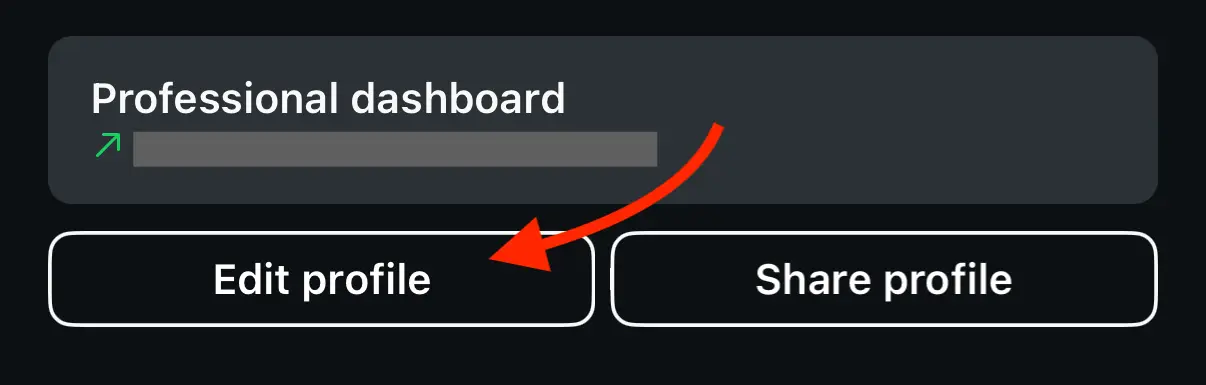
- Find Username and type in your desired username.

Here are some good and bad username examples:
- Good: vavozamarketing, johnsmith, john.smith, johnsmithcoaching, john.digitalmarketing
- Bad: john_smith_official_1895, john_smith_digital_marketing4u
Step 2: Set Your Profile Picture
Your profile picture should be clear and easily recognizable; a pixellated or blurry image looks unprofessional.
- For Personal Brands: If you are creating a personal brand, are a coach or an influencer, use a clear, well-lit, and high-quality headshot;
- For Businesses or Brands: If you’re promoting your brand or business, use your logo. Avoid cramming too much text into your logo and ensure the version you use for your profile picture is high quality and is most legible in a circular format.
To change your Instagram profile picture, follow these steps:
- Go to your profile.

- Click on Edit profile.
- At the top of the screen, either tap on your existing image or click Edit picture or avatar.
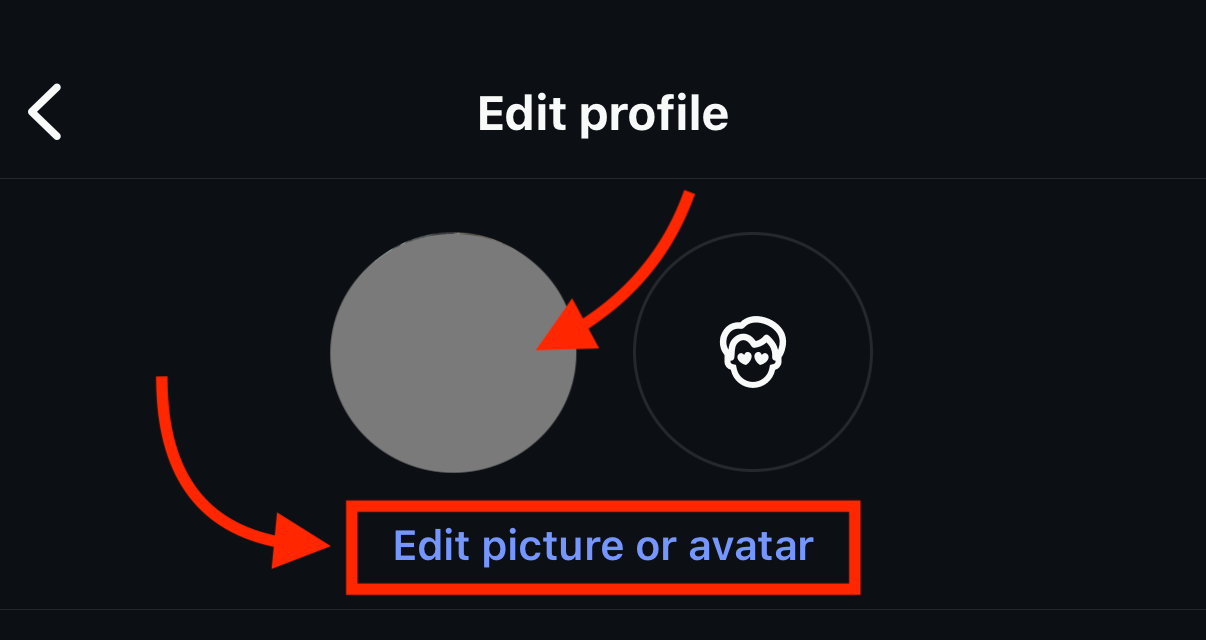
- Choose your image from the library, then click Done at the top right corner.

Step 3: Fill Your Name Field
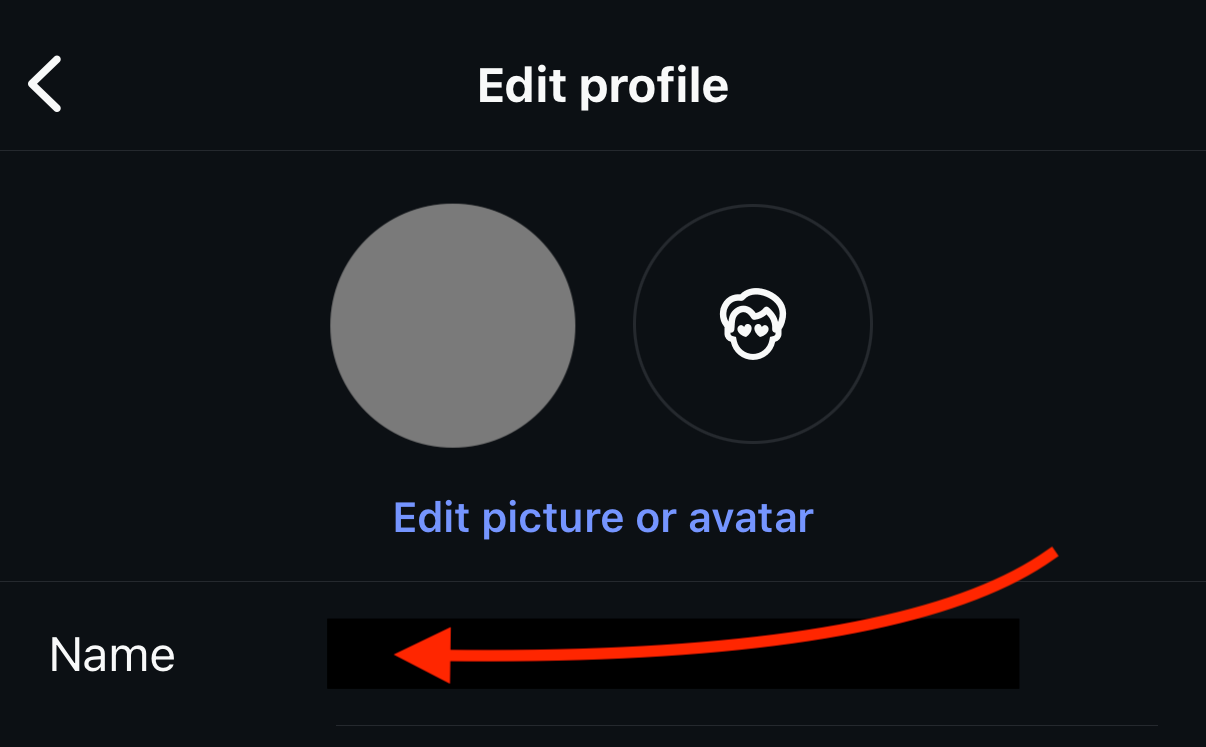
The name field is what shows up as bold text at the top of your profile, right above the follower count and post count. Remember, your name field is searchable!
Use the following tips to fill out your name field:
- Fill this field out strategically, don’t just mindlessly repeat your username. Include keywords that describe who you are, what you do, and who you serve.
- Follow this formula: Your name/brand name + keywords.
- To edit your name on Instagram, go to your profile, tap Edit profile, and edit the name field.
Here are some examples of good names: John Smith | Digital Marketing Coach, John Smith | Financial Adviser, John | Your Favorite Realtor, Corner Coffeeshop | Freshly Brewed Coffee .
Step 4: Fill Out Your Bio
Your bio is a quick, 150-character description of who you are, what you do, and what your profile visitor should do next.
Follow these steps to fill out your bio:
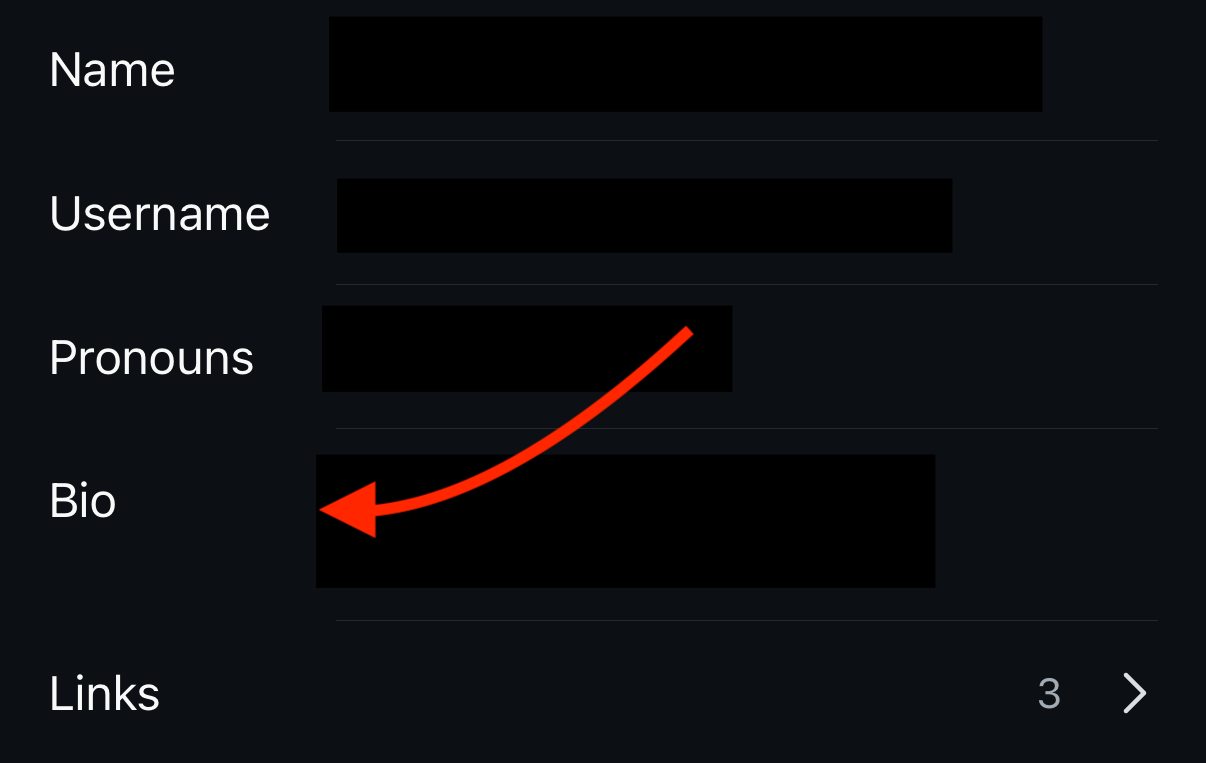
- To add your bio, go to your profile, tap Edit profile, and tap on the Bio field.
- The first line should outline who you are and what you do clearly and concisely, for example, “Helping families secure their financial future”.
- The second line should cover who or where your target audience is and what you offer, for example, “Professional financial advice in NV, CA, SD, and WA”.
- The third line should contain a personal achievement, some humor, or a fun fact about you – this will add some personality and credibility. Say something like “Rated #1 in NV and CA” or “I’m a proud parent of 2 and a car enthusiast”.
- The fourth line should tell people exactly what to do next with a CTA. You can use an emoji to draw attention to a link or contact info. For example: “👇schedule a consultation today” or “⬇️ Grab your free guide now”.
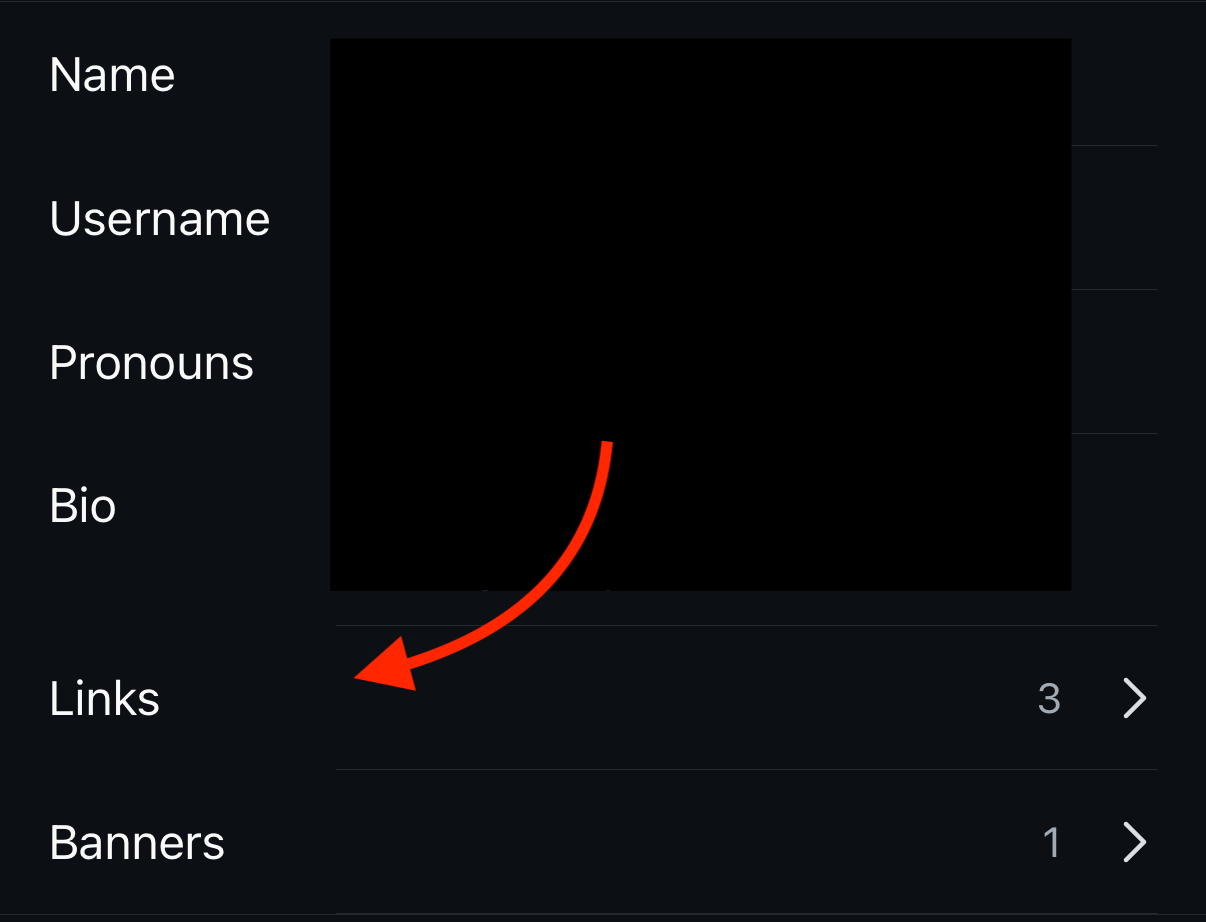
Step 5: Add Your Links
This is the only clickable link on your Instagram profile, so ensure it leads to something meaningful, like your website, shop, or landing page.
If you have multiple links you’d like to include, you can add them separately, but that may be confusing. Instead, use a service like Linktree – it can host all your links in one place and make your profile appear neater and less confusing.
Ensure your link aligns with your CTA. For example, if you said “⬇️ Grab your free guide now”, your link should lead to the free guide.
- To add your link, go to your profile, click Edit profile, tap Links, and paste your desired link(s).
Step 6: Add Contact Options and Select Your Category
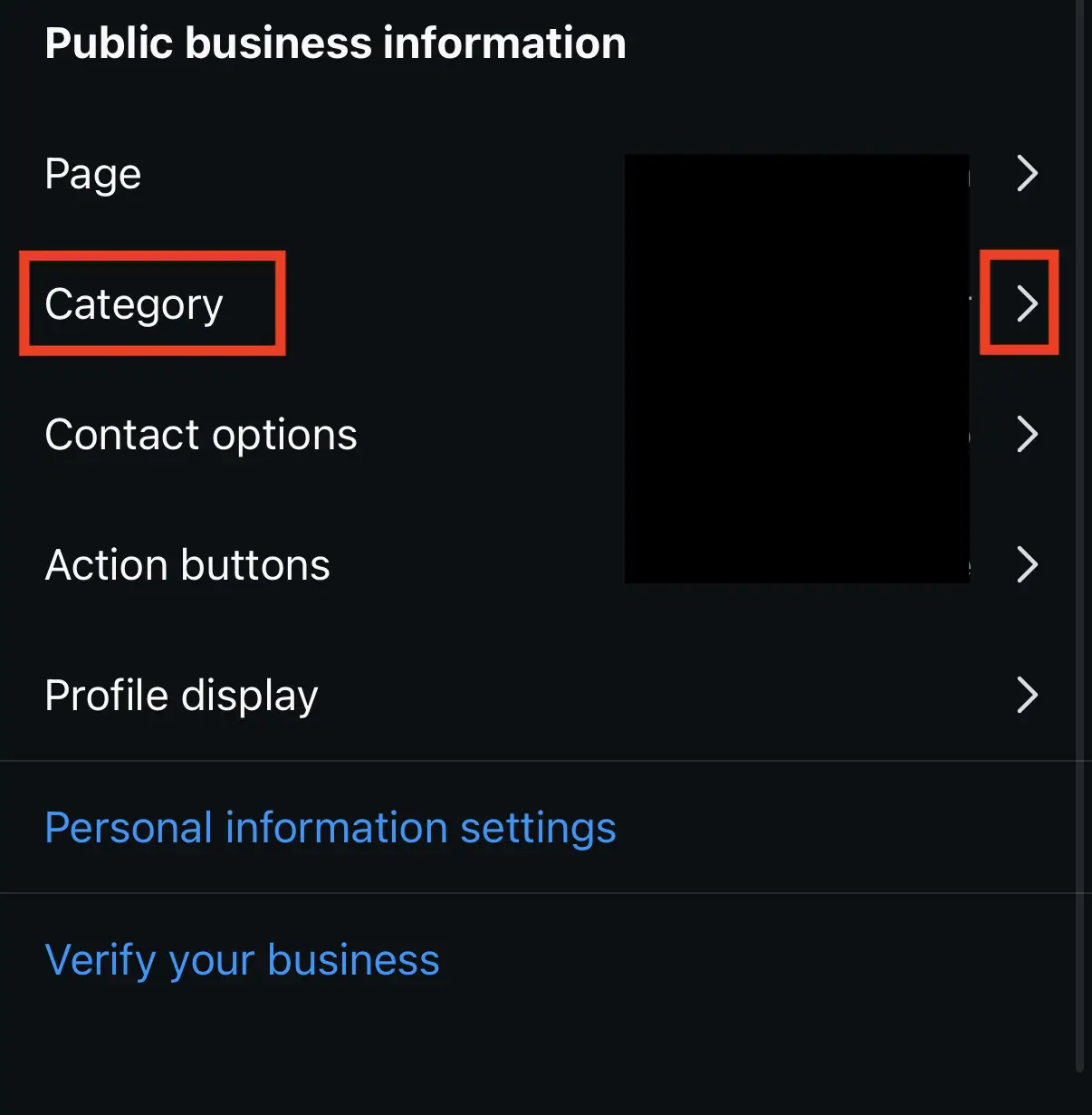
Choose the category that best describes you and what this account is for, for example, Entrepreneur, Digital Creators, Health/Beauty, etc.
- In your profile settings, scroll down and tap on categories, and choose the one that applies to you.
Add action and contact buttons to your profile. You can add your email, phone number, and a Book Now button:
- Go to your profile, tap edit profile, scroll down to Contact options and Action buttons.
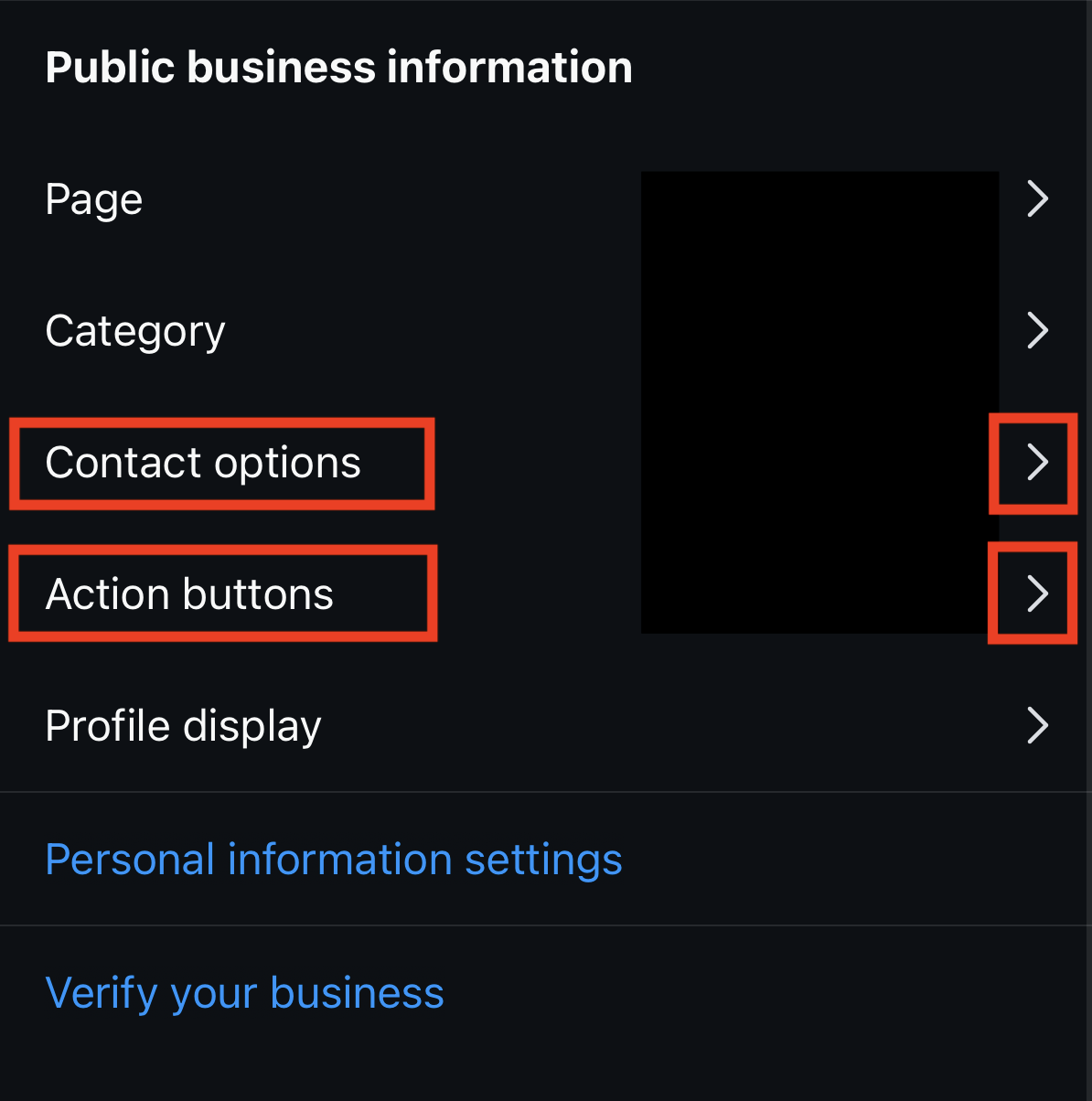
Tap on each of them individually and fill out the applicable information.
Want more actionable tips continually? Subscribe to Vavoza Insider to access the latest business and marketing insights, news, and trends daily with unmatched speed and conciseness. 🗞️